
Discovery Session Enquiry
Interested in BricsCAD and want to speak to our experts on how best we can help you? Complete the form below and someone will be in touch to assist you.
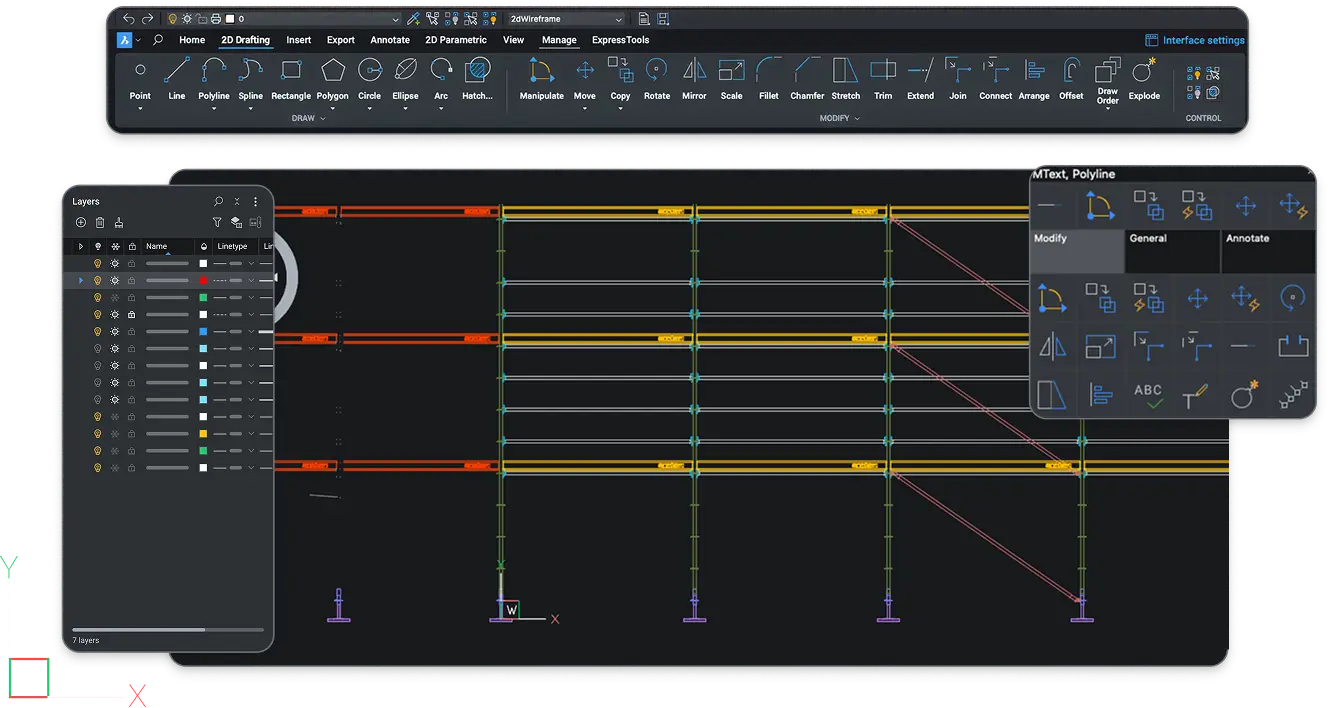
BricsCAD Lite is a professional 2D CAD software built on DWG. For drafters, technicians and practices which produce layouts, details and documentation. This software is designed to provide a simple user experience, so if you have used a DWG-based CAD before, you will recognise it straight away.
Official UK BricsCAD Reseller
20+ Years in CAD
30 Day Trial, No Payment


Companies Using BricsCAD







If you have already worked in a DWG-based CAD, BricsCAD will immediately feel familiar. The command line, commands, layers, blocks, layouts and plotting will work in the way that you expect them to, and your existing DWG files still open as normal.
Our customers keep telling us that after their first week, the learning curve was gone and they could start working in the same method as they did previously. This time, with extra tools and features.
BricsCAD Lite has the best tools for 2D CAD on the market. Providing every feature and ability that you need to ensure your work is professionally designed. All of the tools available have a free step-by-step guide, so you can explore the complete functionality before using them.
If you are considering moving from another 2D CAD platform to BricsCAD Lite, one of your biggest questions may be how quickly you and your team can become fully productive.
We have helped hundreds of customers make the same transition, so we understand the concerns that come with changing CAD software. That experience has shaped our support around one clear goal, helping you get up to speed quickly and work confidently in BricsCAD Lite.
01
With every feature and tool available, the BricsCAD trial lets you experience how easy the software is to use. Throughout your trial, you will have full access to the entire BricsCAD collection.
02
Our Essentials training course is designed to help new BricsCAD users get up to speed quickly, covering the essential tools, features and workflows needed to work confidently and maintain productivity.
03
During your trial, you will be assigned a dedicated account manager who will support you every step of the way. Whether you have questions, need help completing your day to day work, or require guidance on specific features.
BricsCAD Lite is available as either a subscription or perpetual licence, giving you flexibility in how you purchase your software. Subscription keeps you up to date with the latest releases and is ideal for teams managing multiple licences, while perpetual licensing offers a one time purchase with maintenance included for the first year.
Every new release included, automatically
Support included for as long as you subscribe
Can upgrade easily to another BricsCAD software
Yours to keep, on the version you buy
Maintenance included for the first year
Renew maintenance each year to stay current
If you would like to explore your drawings with our expert handling, you can book half an hour with our team who use BricsCAD everyday. Provide one of your drawings to our designers beforehand, and we will open it on the call. We can walk through how your work would run and answer any questions you may have.
BricsCAD Lite is designed specifically for 2D drafting and does not include 3D modelling. If you work in 3D, even occasionally, BricsCAD Pro may be the more suitable option. Our goal is to make sure you choose the right software for the way you work, so you get genuine value from your licence and only pay for the capabilities you need.
We recommend Lite when:
Your output is 2D drawings, layouts, details, mark-ups
You've never needed to model in 3D
You're currently paying for 3D capability you never use
We recommend Pro when:
Anyone on your team models in 3D, even occasionally
You want 2D drafting and 3D modelling in one licence
| Lite & Pro Side by Side Feature | BricsCAD Lite | BricsCAD Pro |
|---|---|---|
| +Native DWG | ||
| +2D Drafting & Annotation | ||
| +LISP Routines | ||
| +Third-party Applications | ||
| +3D Modelling | ||
| +Surveying Tools | ||
| +Point Clouds |
"The decision to switch drawing software product was not one that I took lightly. Having researched this and having looked at a number of different products, I decided that BricsCAD was the best fit for my practice. I've been really impressed with Nori CAD and their support in this transition. I'd have no hesitation in recommending Nori CAD to other practitioners and consultants. "
Thomas Black, Tom Black Architect
We are an official UK BricsCAD reseller with more than 20 years of experience in the CAD industry.
When buying from us, you will be provided with a dedicated account manager who will be with you throughout your entire journey. From helping you choose the right edition, to someone available on call when you need help with your design.
A subscription is £305 per year and a perpetual licence is £684 one-off payment. Perpetual includes maintenance for the first year, after which you renew maintenance to keep receiving updates. Most customers choose the subscription method because it always keeps them on the latest version.
No. Lite is 2D only. 3D modelling, surveying tools and point clouds are in BricsCAD Pro, so if anyone on your team models in 3D, even occasionally, Pro is the right edition.
If you already have BricsCAD Lite and are looking to upgrade the BricsCAD Pro, please contact one of our BricsCAD experts by completing the contact form found on our contact page.
BricsCAD Ultimate provides full access to BricsCAD Pro, Lite, BIM, and Mechanical, ensuring that you have all the capabilities of BricsCAD® in one comprehensive package.
Yes. BricsCAD runs on Windows, macOS and Linux, so a mixed office can use one CAD package across all three.
Yes, if they’re DWG files. BricsCAD is built on DWG, so they open and save without conversion.
Yes. Blocks and attributes work as normal, and you can insert and adjust existing dynamic blocks. Creating new dynamic block definitions isn’t part of the standard toolset, so if your team builds them regularly, talk to us before you switch.
Most do. Existing routines generally run unchanged, and some that rely on functions specific to other CAD packages need adjusting. Compiled third-party applications need BricsCAD Pro. We can check yours during the trial.
Discovery Session Enquiry
Interested in BricsCAD and want to speak to our experts on how best we can help you? Complete the form below and someone will be in touch to assist you.